
Controls and spoiler-light walkthrough
How to Play Narinig Mo Ba Game
Learn the current mouse controls, complete the first store request, follow conversations, and keep the cozy horror story moving without revealing its central twist.
Gameplay guidance checked September 6, 2026.
Narinig Mo Ba game quick start
Narinig Mo Ba? is a short, story-driven psychological horror game presented as a cozy Filipino sari-sari store simulator. You work behind the counter, listen to regular customers, handle requested products, and follow neighborhood gossip as the ordinary shift begins to reveal something darker. The game is designed around observation and conversation, so playing well means reading carefully rather than rushing through every prompt.
The fastest way to start is the official HTML5 build on itch.io. Select Play on this page, wait for the game frame to finish loading, and click inside it once so the browser sends mouse input to the game. A desktop or laptop browser is currently the clearest way to use the controls. Native Windows, macOS, and Linux builds are also available when you prefer playing outside the browser.
- 1
Open the official game
Use the itch.io link above and choose Run game. Avoid copied game pages, APK sites, and unofficial mirrors.
- 2
Give the game focus
Click once inside the player after it loads. Keep the pointer over the game while handling products or selecting dialogue.
- 3
Read the customer request
Let each line finish and identify the exact product before moving from the counter view to the shelf.
- 4
Select and check the item
Use the mouse controls to take the requested product, check its price when prompted, and return it if it is wrong.
- 5
Follow the conversation
Choose a displayed response and pay attention to names, debts, rumors, and changes in the mood of the store.
Narinig Mo Ba controls
The current store interactions use the mouse. The important distinction is between taking an item, checking it, and returning it. A quick click and a held click do different things, so slow down when you have selected the wrong product. Dialogue responses appear as choices on screen and should be selected only after reading the full exchange.
| Input | Action | When to use it |
|---|---|---|
| Left click | Take or drop a shelf item | Select the product requested by the customer and move it through the store interaction. |
| Hold left click | Return an item | Put back a product when you selected the wrong one or changed your mind before serving. |
| Right click | Check a product price | Confirm the item information when the request or counter interaction requires a price check. |
| Dialogue choice | Select a response | Answer customers and continue conversations that carry the story and neighborhood gossip. |

If a click does nothing, first check whether a dialogue line, transition, or animation is still running. Then click once inside the game frame to restore focus and try the intended action again. Do not alternate rapidly between left and right click because that makes it harder to tell whether the selected item, the browser, or the current scene caused the problem.
Complete the first store request
Day 1 introduces the store loop through a simple customer request. Read JunJun's dialogue and identify the requested stick of coffee. Move from the counter toward the shelf view, select the matching product, and use the price check when the interaction asks you to confirm it. Return the item with a held left click if you chose the wrong product, then complete the request only when the item matches.
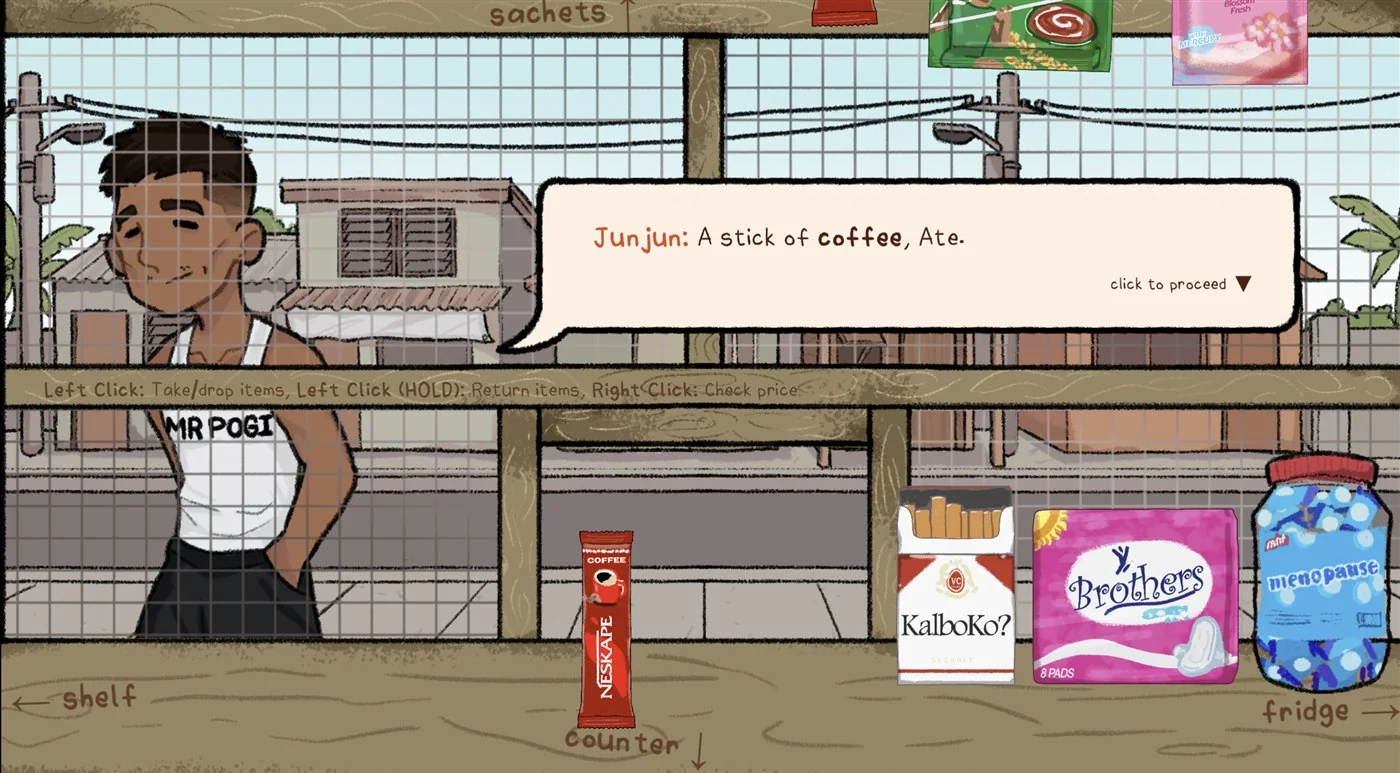
This first exchange teaches more than item handling. It establishes how ordinary store work and neighborhood conversation overlap. Customers do not arrive only as transactions; they bring names, relationships, unpaid debts, rumors, and personal details into the shop. Read the dialogue before reaching for an item because the story context matters as much as completing the order.
The game does not need a speedrun approach. Take a moment to scan the shelf, learn where products are placed, and notice how the viewpoint changes between the customer and the goods. When you return to the counter, let the current dialogue finish before clicking another object. A deliberate rhythm reduces mistaken selections and preserves the pacing of the horror story.
Confirm the request
Identify the product from the customer's words instead of guessing from the shelf.
Check before serving
Use the price interaction when needed so the selected product matches the current request.
Return mistakes calmly
Hold left click to put an item back rather than clicking several products in quick succession.
Listen to the gossip
Conversation is part of the central mystery, not background text between store tasks.
Find products on the shelf and in the fridge
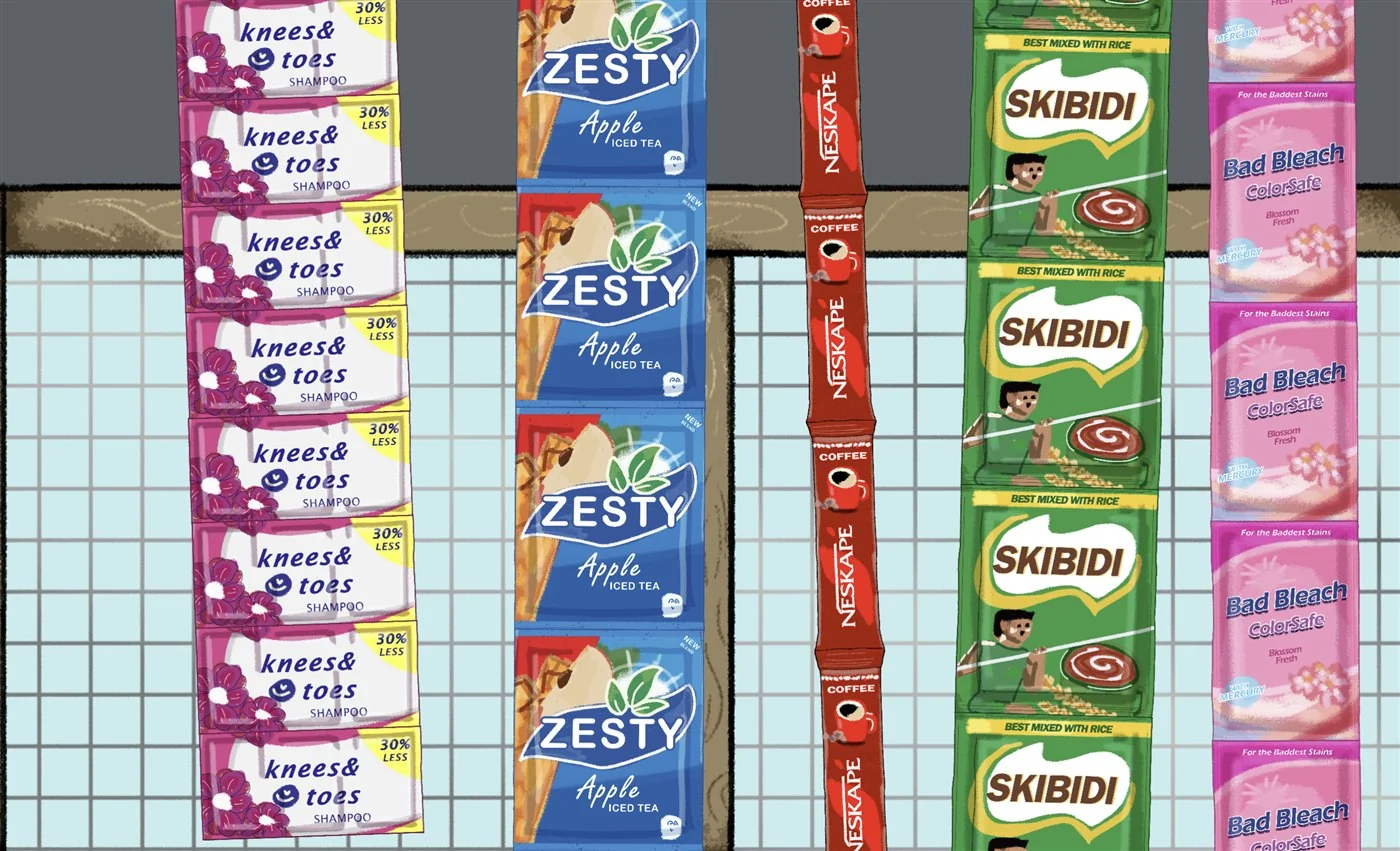
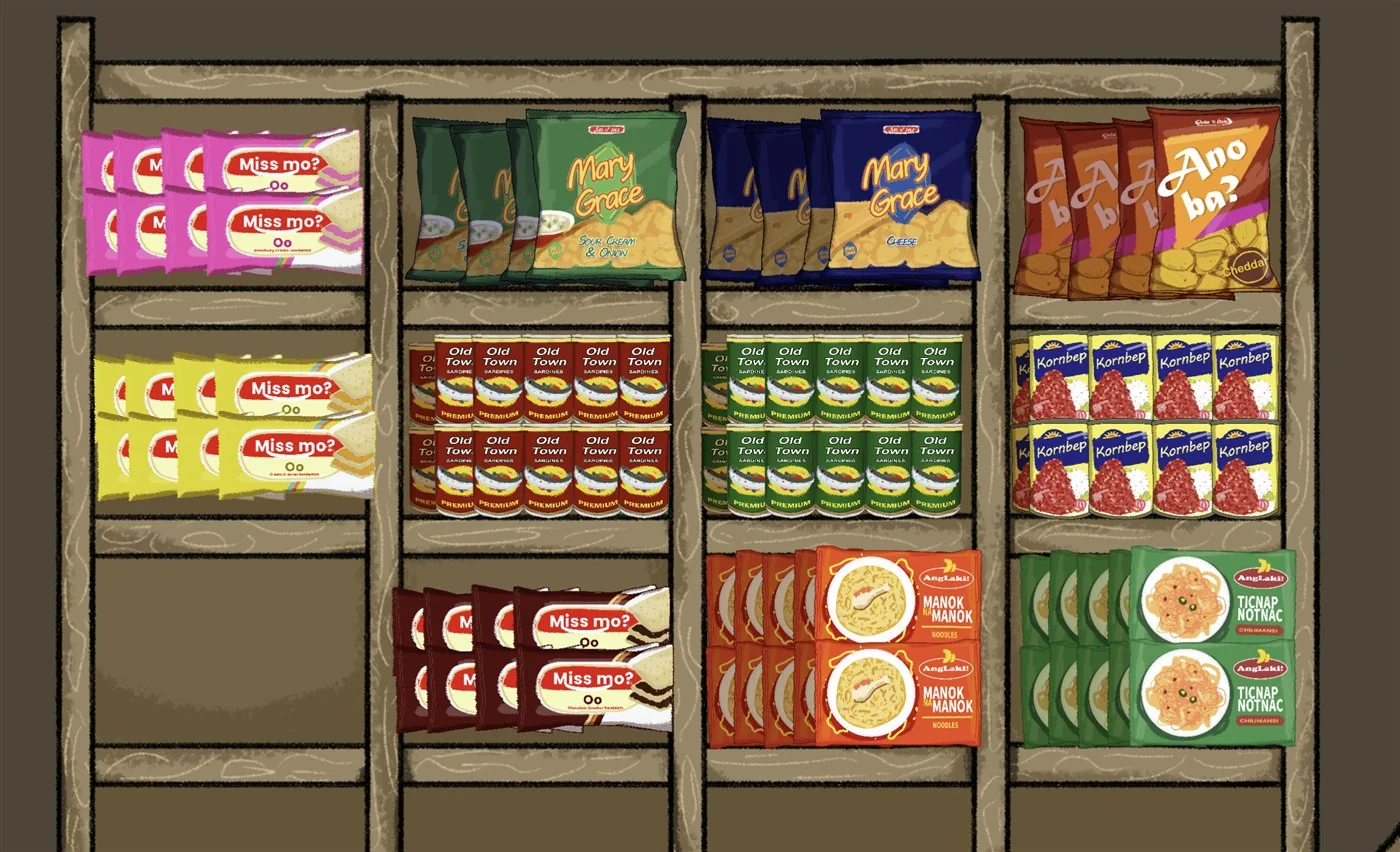
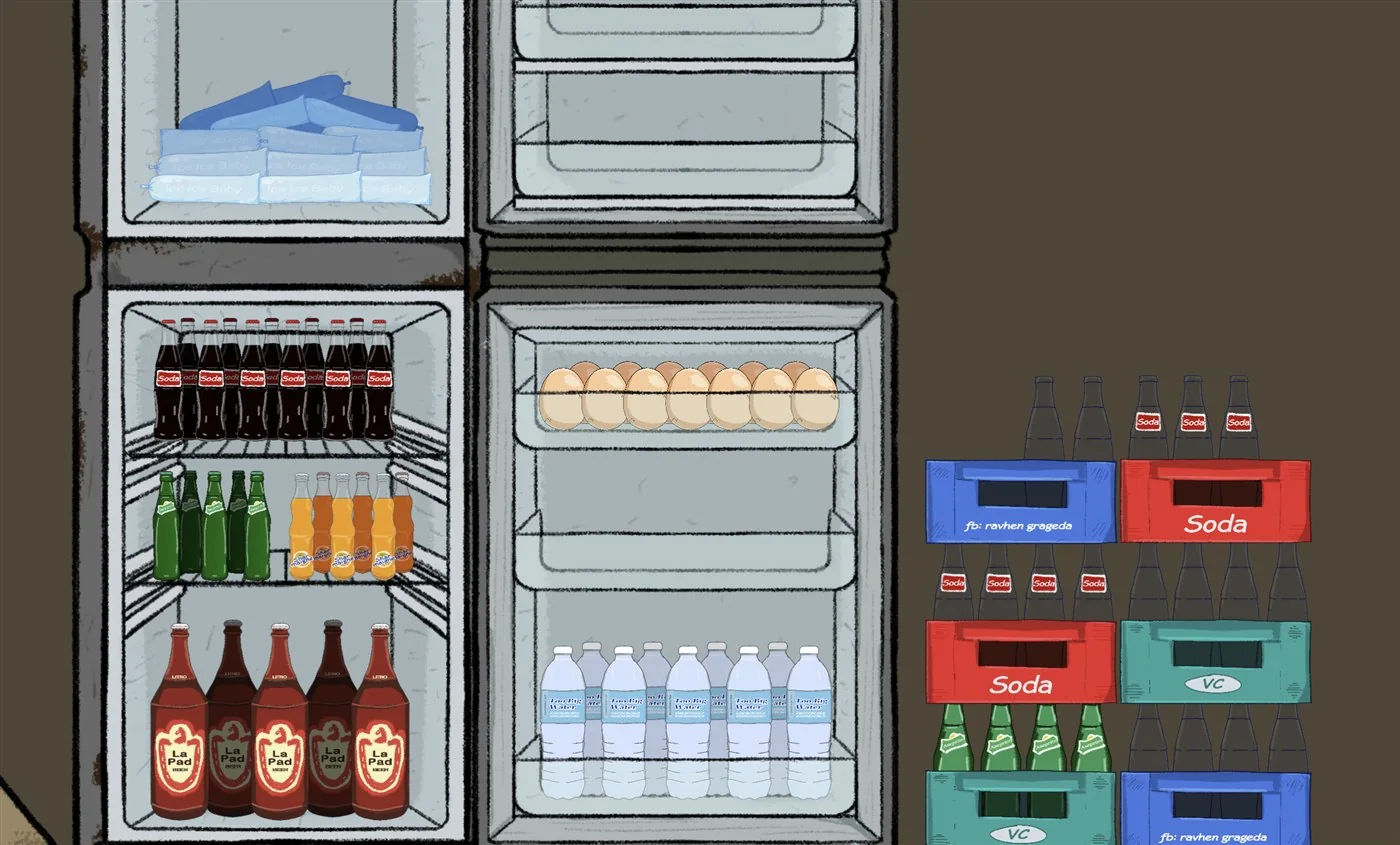
The store divides its stock into visual areas. Sachets and small household products hang above the counter, snacks and canned goods fill the wooden shelf, and cold drinks, water, eggs, ice, and bottle crates sit in the refrigerator area. Match the customer's wording to the product type first, then scan the corresponding area instead of clicking every item.
Take payment and give the correct change
After supplying the requested product, complete the sale at the cash drawer. Check the item price, note the amount paid, and work out the difference before selecting bills or coins. The register provides ₱50, ₱100, ₱500, and ₱1000 bills together with ₱1, ₱5, ₱10, and ₱20 coins, plus a calculator display for the transaction.
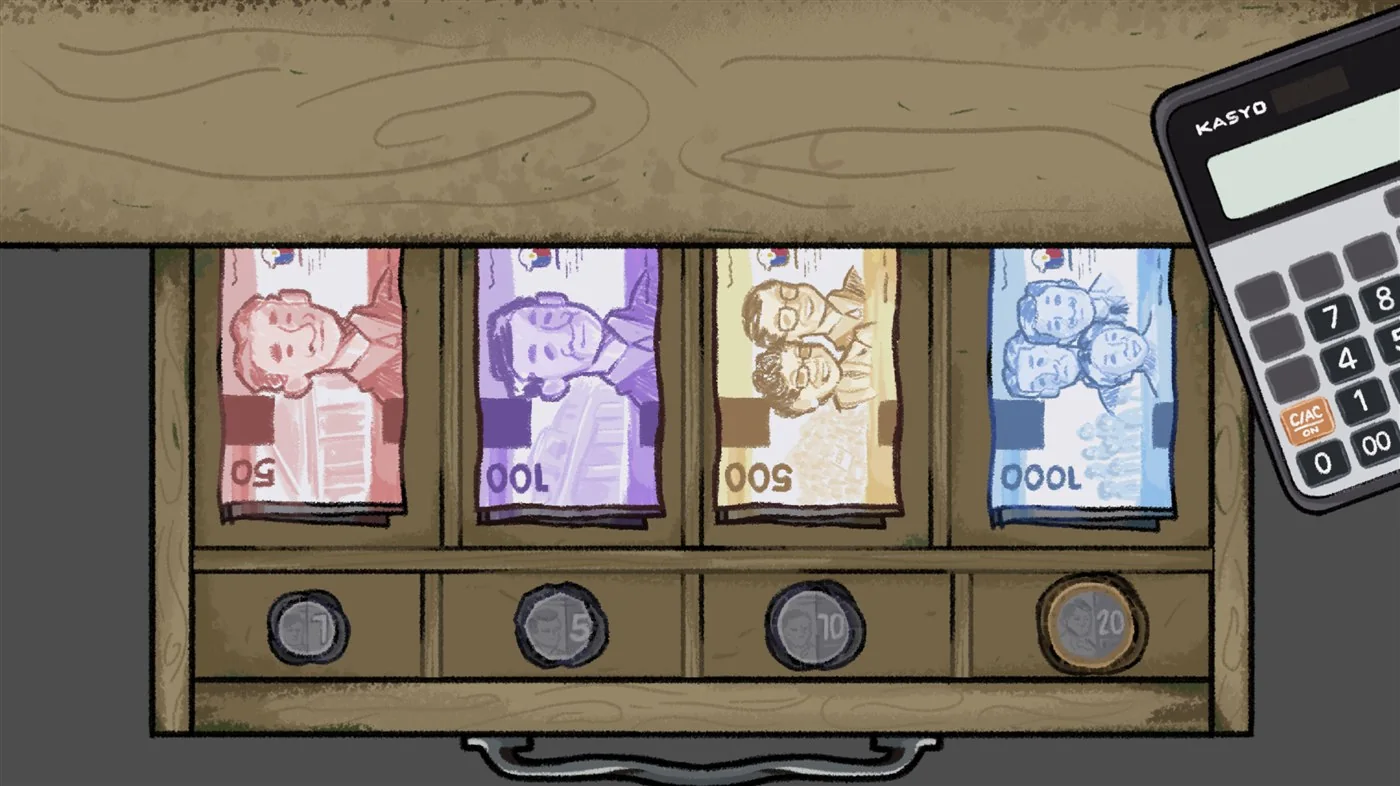
A reliable transaction order is: read the request, locate the product, check its price, hand over the item, receive payment, calculate the difference, and return the correct change. Do not rush to the drawer while dialogue is still advancing, because the customer's words may clarify the order or move the story forward.
Follow dialogue without spoiling the story
Narinig Mo Ba? builds tension through familiar conversations. The early store routine gives you a reason to meet the regulars, but each exchange also changes what you understand about the neighborhood. Read names and relationships carefully, especially when people discuss debts, recent events, or another resident. The story is short enough that skipping several lines can remove the context for a later reveal.
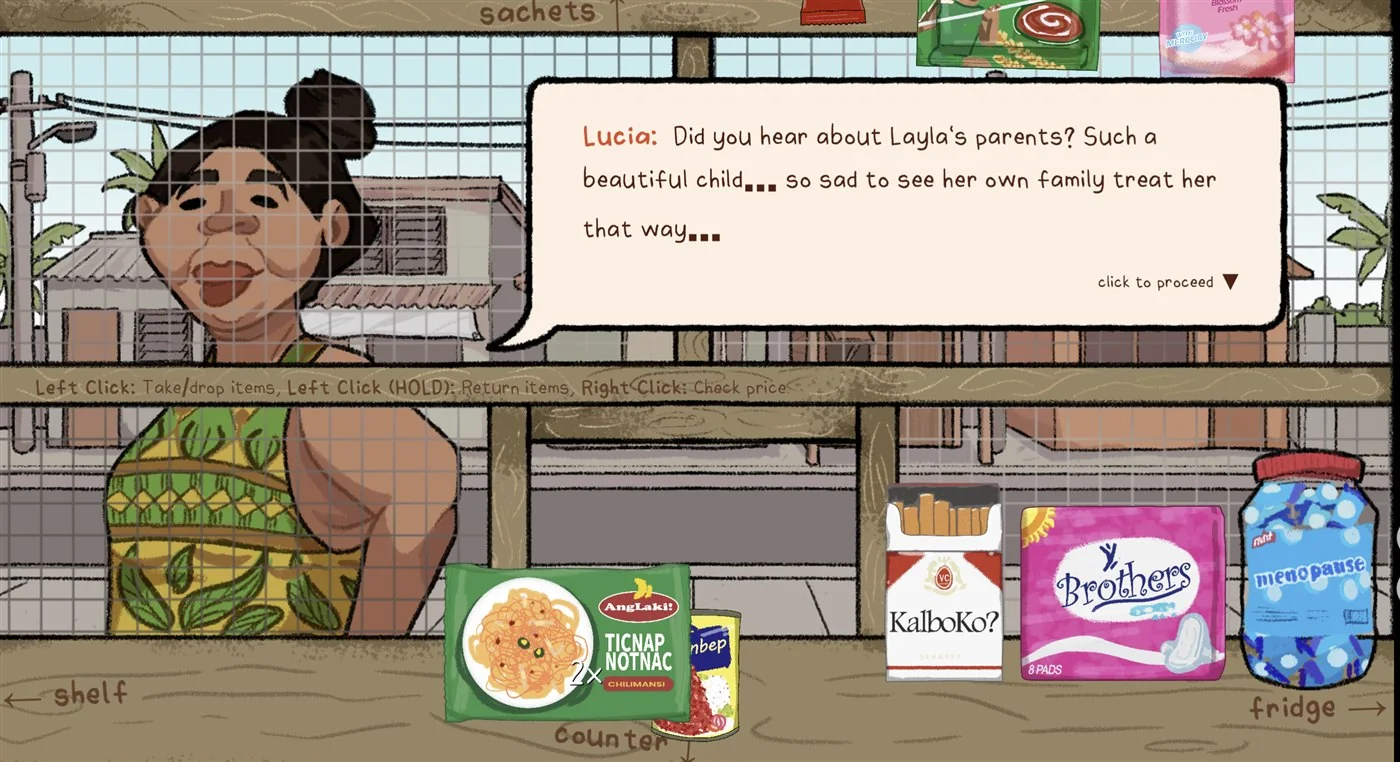
When a response choice appears, select the answer that fits how you want to handle the conversation. This guide does not claim that every choice creates a separate ending or hidden branch; the useful advice is simply to read the available wording before committing. If you want to compare responses later, finish the first playthrough naturally before looking for spoilers or ending explanations.
Sound supports the shift from cozy routine to psychological horror. Use clear speakers or headphones at a comfortable volume and avoid muting the tab. If you record or stream the game, keep dialogue readable and do not let alerts cover the interaction area. The developers credit CC0 audio assets while stating that the artwork was made in-house, so the audio and visual presentation are both part of the intended atmosphere.
Browser setup and mobile status
Use a current desktop version of Chrome, Edge, Firefox, or Safari and allow the official itch.io page to run the scripts required by its player. Close memory-heavy tabs if the game loads slowly, keep normal browser zoom, and use the itch.io fullscreen option when the interface feels cramped. If an embedded view stays blank, open the official game page directly before changing several browser settings.
The game also has native desktop downloads. Choose the matching package when the HTML5 build performs poorly or when you prefer a standalone session. The separate Narinig Mo Ba game download guide compares the current Windows x86-64 and ARM64 files, the macOS archive, and the Linux x86-64 and ARM64 files. It also explains how the official itch.io download flow works.
Phone controls are not the recommended baseline for this guide. The current browser build may load on some phones, but item handling and price checks can be difficult without the intended mouse input and screen space. The developers have announced plans for mobile-friendly browser play. That announcement does not create an official Android APK, iOS package, App Store listing, or Google Play release.
Fix common gameplay problems
The game stays on a black screen
Wait for the itch.io player, open the official page directly, reload once, and test whether a strict content blocker is preventing scripts from running.
Mouse controls do not respond
Click inside the game frame to restore focus, wait for the current line or transition, and retry one control at a time.
The wrong product is selected
Hold left click to return it, reread the request, and choose the matching item before completing the customer interaction.
The interface is clipped
Reset browser zoom, use fullscreen, and prefer a desktop display while the planned mobile-friendly version is still pending.
When a problem continues, write down the browser, operating system, whether you used HTML5 or a desktop build, the scene where it happened, and the exact action that failed. Change one variable at a time. A report that says right click stopped checking prices after a specific dialogue is more useful than a general statement that the game is broken.
How to play Narinig Mo Ba FAQ
How do you play Narinig Mo Ba?
Open the official HTML5 build, begin Day 1, read each customer's request, move between the counter and shelf views, select the requested product, check its price when needed, and follow the dialogue choices as the story develops.
What are the Narinig Mo Ba game controls?
Use left click to take or drop an item, hold left click to return an item before serving it, use right click to check a product price, and select the displayed dialogue option to answer a character.
What should I give JunJun on Day 1?
Read JunJun's request and choose the requested stick of coffee from the shelf. Check the item and its price before completing the interaction.
How do I return the wrong item?
Hold the left mouse button to return an item before serving it. If the interaction does not respond, make sure the game frame has focus and try again without rapidly clicking several objects.
Can I play Narinig Mo Ba on mobile?
The current browser build may be difficult to control on a phone. The developers have announced plans for mobile-friendly browser play, but no official Android APK or iOS package is currently listed.
Can I play Narinig Mo Ba without downloading it?
Yes. The official itch.io page includes an HTML5 version that runs in a supported browser. Native Windows, macOS, and Linux downloads are optional.
Why is Narinig Mo Ba not responding to clicks?
Click once inside the game frame to restore focus, wait for the current dialogue or animation to finish, and avoid browser zoom that clips the interaction area. Open the official itch.io page directly if an embedded view remains unresponsive.